 Sun Exposure
Time in Daylight for iPhone & Apple Watch
Track Your Sun,
Build Your Glow,
Stay Sun-Safe
Sun Exposure turns the Time in Daylight your Apple Watch records into a daily sun goal, a Burn Time estimate, vitamin D estimates and First Light timing. No watch? Start a Sun Session on your iPhone.
★ 4.5 on the App Store (41 ratings) · iOS 18 & watchOS 10 or later
Everything You Need for
Smart Sun Management
Tracking, history, streaks and Sun Sessions are free. Sun Exposure Pro adds the UV-aware estimates and planning tools.
Included Free
Daily Sun Tracking
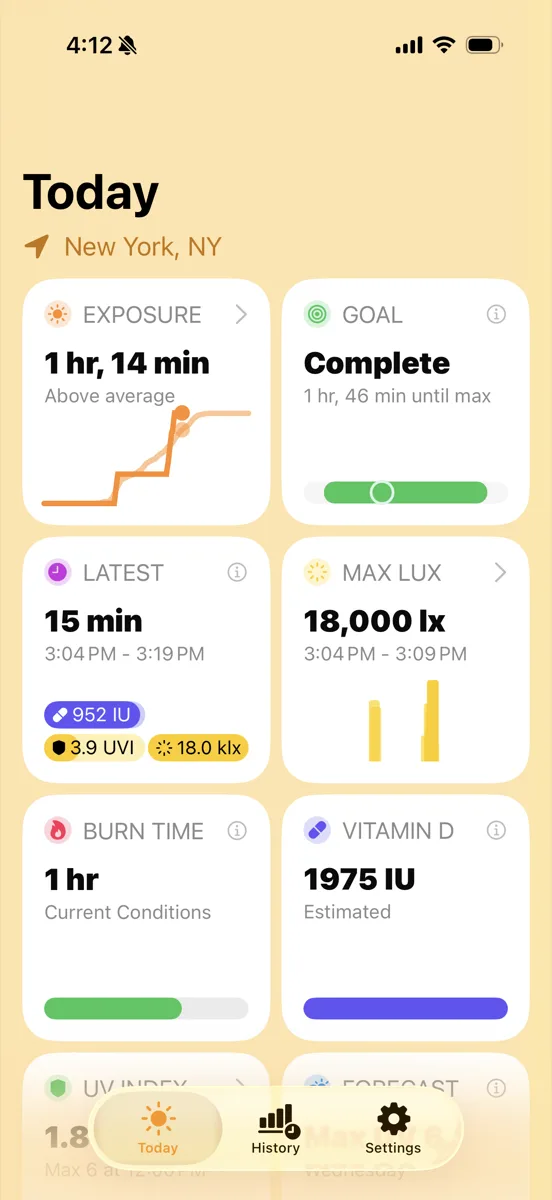
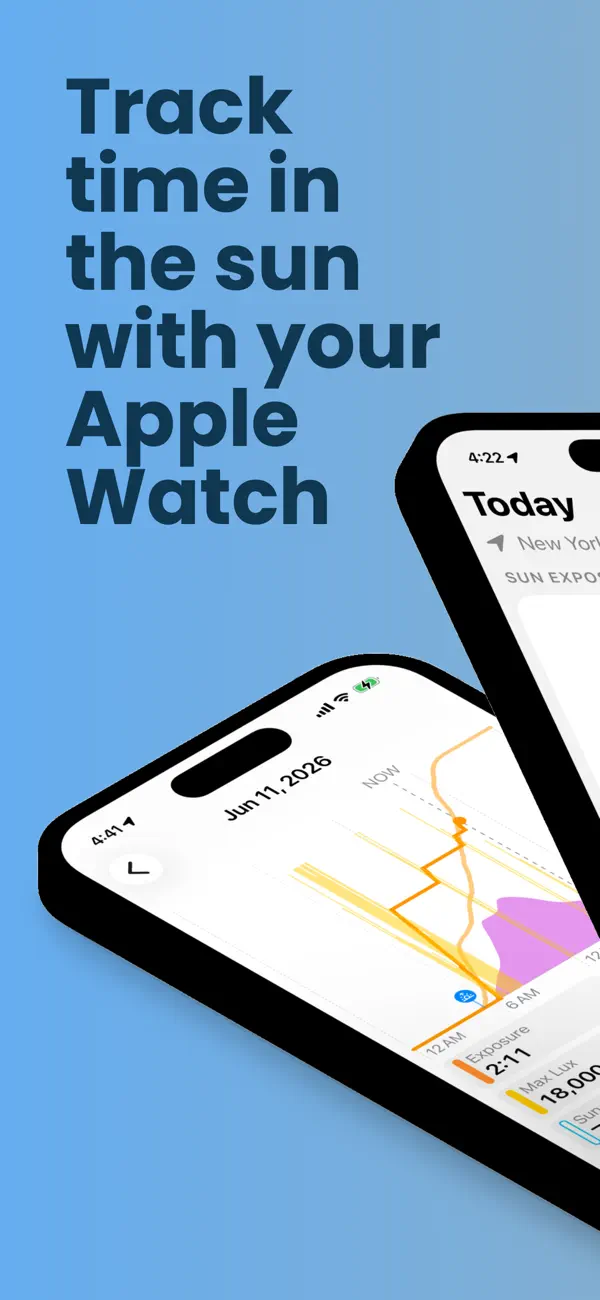
See how much Time in Daylight your Apple Watch has recorded today, against a goal range of 20 minutes to 1 hour by default.
Sun Sessions
No watch, or want to log a stretch outside? Start a session on your iPhone and it's saved to Apple Health as Time in Daylight.
About Sun Sessions →History & Goal Streaks
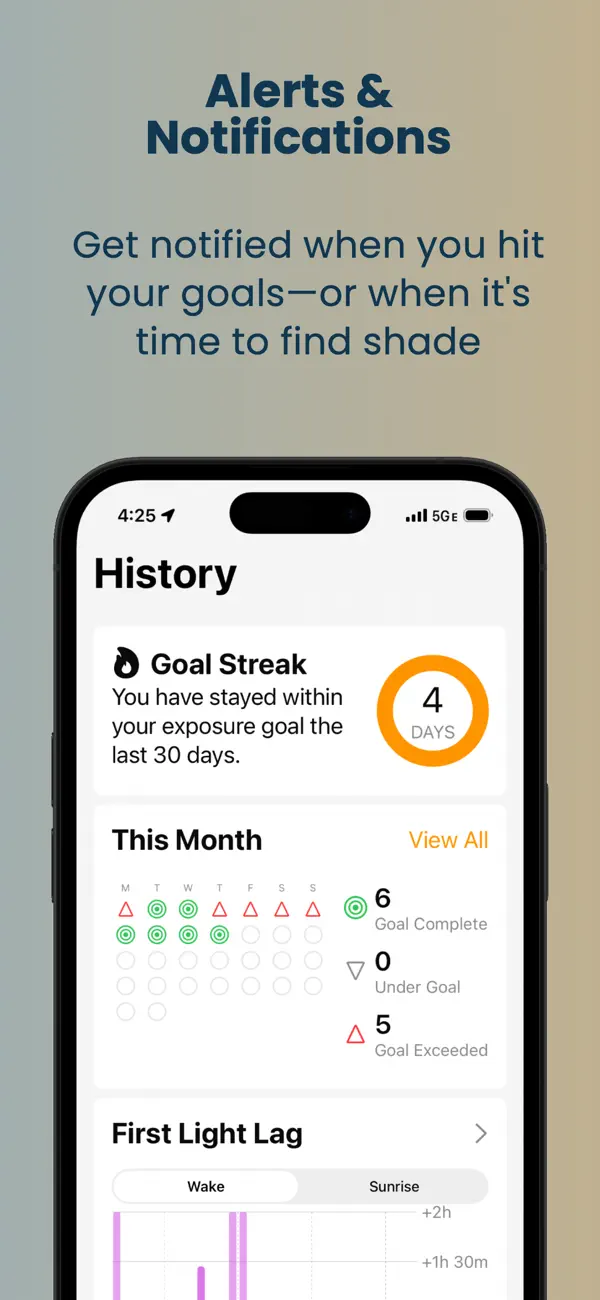
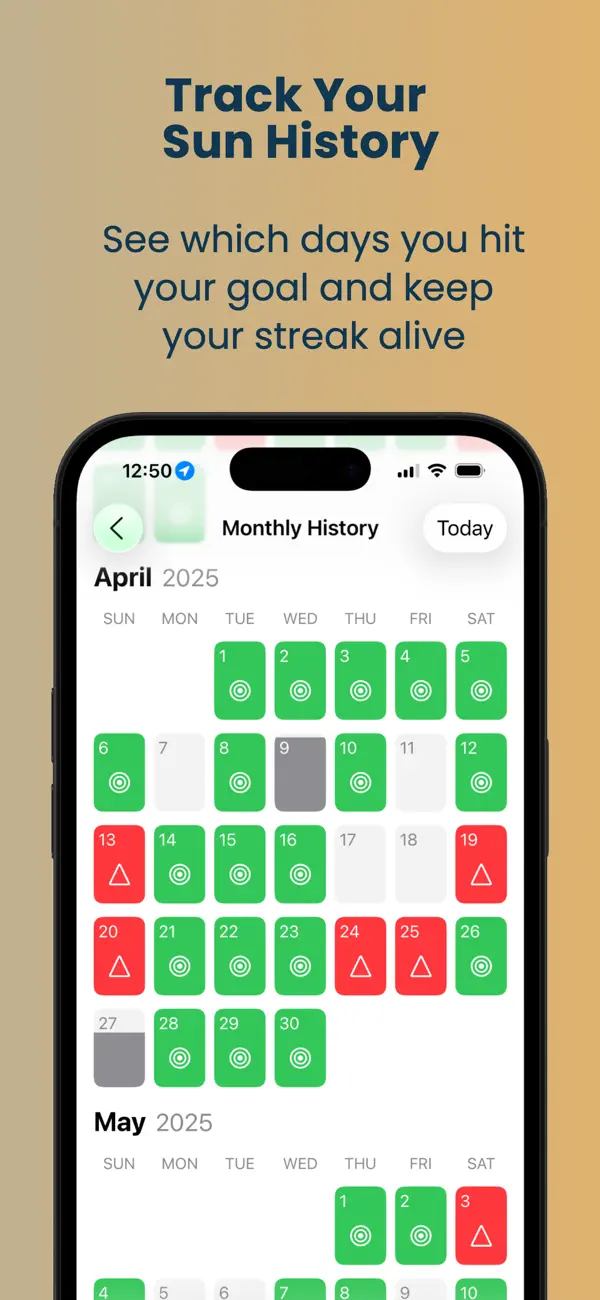
Day, week, month and year charts, plus a streak for every day that ends inside your goal range.
Goal Alerts
Get notified when you reach your daily goal and when you pass your maximum.
Smart Sun Guidance
Nudges to get outside, seek shade or reapply sunscreen, based on where you are against your goal.
Widgets, Siri & Shortcuts
A widget for every stat, watch complications, a Control Center control, and Siri answers to “How much sun have I gotten?”
Sun Exposure Pro
First Light
See when you first got daylight each day, compared with sunrise and your wake time. Morning light helps anchor your circadian rhythm.
About First Light →Vitamin D Estimates
An hourly estimate from the UV Index, how bright it was, your skin type and how much skin is exposed. Auto-log it to Apple Health.
About vitamin D →Burn Time
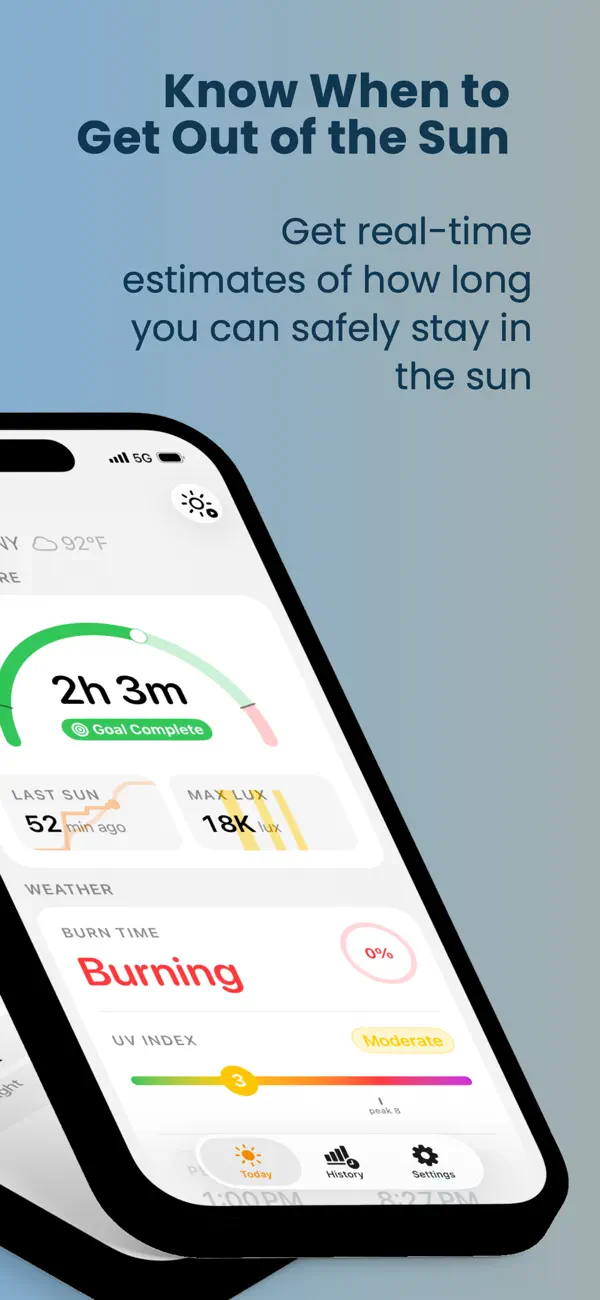
How long you can stay out at the current UV Index before burning, with an alert when it runs out.
About Burn Time →UV, Weather & Sunrise
Hourly UV Index and weather from Apple Weather, plus sunrise and sunset times where you are.
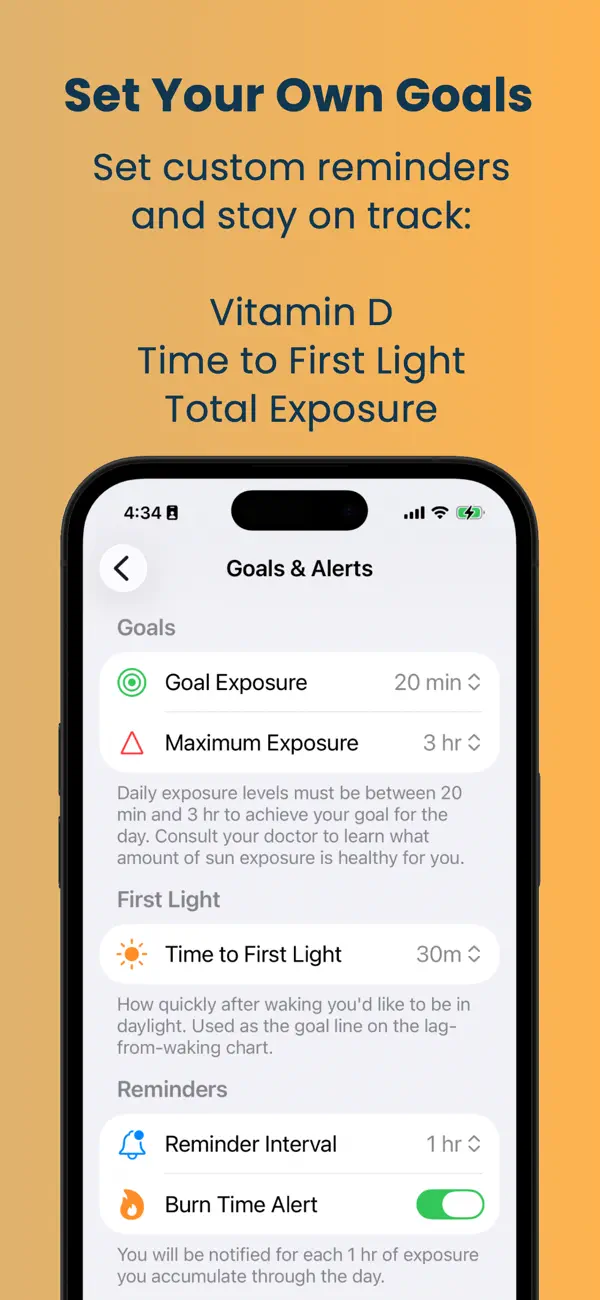
Custom Goals & Reminders
Set your own goal range, and get a reminder each time you add a set amount of sun.
Minimum Lux
Leave out dim light, like sitting near a window, so only real outdoor light counts toward your day.
See It in Action
Powered by Apple Watch
Time in Daylight
Your Apple Watch already tracks how much time you spend in daylight each day. Sun Exposure turns that data into personal insights and guidance.
Apple Watch Tracks Automatically
Starting with watchOS 10, Apple Watch uses its ambient light sensor to measure your Time in Daylight: the minutes you spend outdoors in natural light each day. It's recorded in the background, with nothing to start or stop.
It works on Apple Watch Series 6 or later, Apple Watch SE (2nd generation) or later, and every Apple Watch Ultra. Time in Daylight syncs to Apple Health, so your history builds over weeks, months and years.
Sun Exposure Adds the Insights
Sun Exposure reads that Time in Daylight and layers in the UV Index, your skin type and your location.
- Personal goals: a daily range, with streaks for the days you land inside it
- Real-time guidance: when to get more sun and when to find shade
- Vitamin D estimates: what your skin made from the sun you got
- Burn prevention: a warning before you've had too much
- First Light: how soon after waking you got outside
No Apple Watch? Use Sun Sessions.
Start a Sun Session on your iPhone when you head outside and end it when you come back in. It counts only daylight hours and is saved to Apple Health as Time in Daylight, so it shows up everywhere watch data does. How Sun Sessions work
Built Into iPhone
and Apple Watch
Siri
Ask “How much sun have I gotten in Sun Exposure?” or “How long until I burn in Sun Exposure?”
Shortcuts
Every action is in the Shortcuts app, along with today's sun, vitamin D, UV Index and Burn Time, ready for your own automations.
Control Center
Start and end a Sun Session with one tap, without opening the app.
Lock Screen
A running session shows as a Live Activity on the Lock Screen and in the Dynamic Island, where you can pause or end it.
Widgets & Complications
Every stat has a Home Screen and Lock Screen widget, and a complication for your watch face.
Spotlight
Your Sun Sessions appear in Spotlight search, so you can find a day at the beach in seconds.
Sun Exposure at a Glance
| App Store name | Sun Exposure: Time in Daylight |
|---|---|
| What it does | Turns the Time in Daylight your Apple Watch records into a daily sun goal, Burn Time and vitamin D estimates, and First Light timing |
| Devices | iPhone and iPad with iOS or iPadOS 18 or later; Apple Watch with watchOS 10 or later |
| Automatic tracking | Apple Watch Series 6 or later, Apple Watch SE (2nd generation) or later, and every Apple Watch Ultra |
| Without an Apple Watch | Yes. Sun Sessions record time outside from your iPhone and save it to Apple Health |
| Price | Free to download. Sun Exposure Pro is an optional subscription |
| Languages | English and Spanish |
| Your data | Health data stays in Apple Health. No account, ads or third-party analytics. Settings and Sun Sessions sync through your own iCloud |
| Works with | Apple Health, Apple Weather, Siri, Shortcuts, Control Center, Live Activities, Spotlight, widgets and watch complications |
| Current version | 2.7.1 |
| App Store rating | 4.5 out of 5 (41 ratings) |
| Support | hello@sunexposure.app |
Find Your Perfect
Sun Balance
Sunlight matters for vitamin D, mood and sleep, and plenty of people enjoy a natural glow. Too much puts your skin at risk. Sun Exposure helps you get enough sun without crossing into damage.
Automatic Tracking
Your Apple Watch does the measuring. No timers, no manual logging.
Private by Design
Your health data stays in Apple Health. No account, no ads, no third-party analytics. Privacy policy
Personal
Built around your skin type, where you are and the goal you choose.
Common Questions
Can I use Sun Exposure without an Apple Watch?
Yes. Start a Sun Session on your iPhone when you head outside, and end it when you come back in. Sessions only count daylight hours, and when you end one it's saved to Apple Health as Time in Daylight, with a vitamin D estimate if you have Sun Exposure Pro.
Start a session with the sun button at the top of the Today tab, from Control Center, or with Siri, then pause or end it from the Lock Screen. You'll need to set your skin type first.
Which watches are compatible?
Time in Daylight is recorded by Apple Watch Series 6 and later, Apple Watch SE (2nd generation) and later, and every Apple Watch Ultra, with watchOS 10 or later. The first-generation Apple Watch SE and Series 5 and earlier can't record it.
What's included with Sun Exposure Pro?
Time in Daylight tracking, history, streaks, Sun Sessions and goal alerts are free. Pro adds the UV Index and weather forecast, Burn Time and Burn Time Alerts, vitamin D estimates and auto-logging, First Light, sunrise and sunset times, custom goals, reminders, and the Minimum Lux setting.
How is vitamin D estimated?
Sun Exposure combines the hourly UV Index where you are with the Time in Daylight your watch measured and how bright it was: full sun counts fully, while shade counts less or not at all. It then adjusts for your skin type and how much skin you have exposed, which you can set in Settings > Skin & Health.
It's an estimate of what your skin makes from sunlight, not a measurement of your vitamin D levels, and it doesn't include food or supplements.
Why does Sun Exposure need my location?
Sun Exposure uses your location to look up the UV Index, the weather, and sunrise and sunset times where you are, and so Sun Sessions only count daylight hours. Your approximate location is enough. Weather data comes from Apple Weather.
Start Your Sun-Smart
Journey Today
Free on the App Store for iPhone and Apple Watch.
Download on the App StoreiPhone with iOS 18 or later. Automatic tracking needs an Apple Watch with watchOS 10 or later.
Disclaimer: Sun Exposure gives estimates, not medical advice. Consult your doctor to determine the right amount of sun exposure for you. Always use sunscreen, hats, and shade as needed.